
Group related CI test failures by failure pattern
Failure patterns group failed and errored test cases inside a single CI test run that share the same failure signature. When a shared root cause produces dozens of look-alike failures, TestNod clusters them into a small number of patterns you can triage as one.
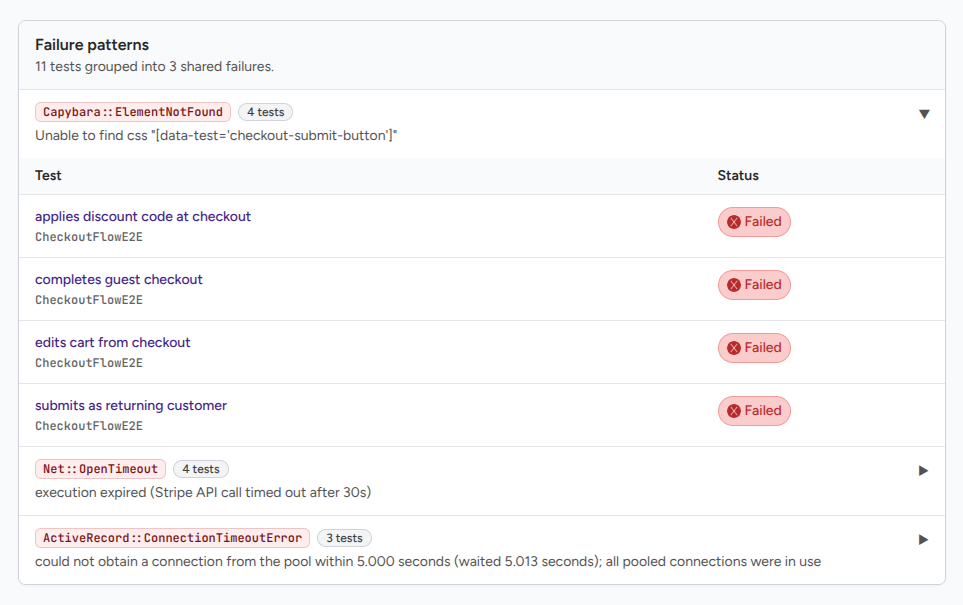
When the failure patterns section appears
The failure patterns section only appears when at least one signature has two or more matching failures inside the current test run. If every failure is unique by signature, the section is hidden, and you do not see an empty heading.
How to read a failure pattern
A short summary at the top of the section tells you how many tests are clustered and how many shared failures they fall into, like "12 tests grouped into 3 shared failures."
Each pattern shows:
- The failure type when your test framework provides one.
- A sample message taken from one of the failing cases in the pattern, truncated to about 240 characters when the message is long.
- The number of cases in the pattern.
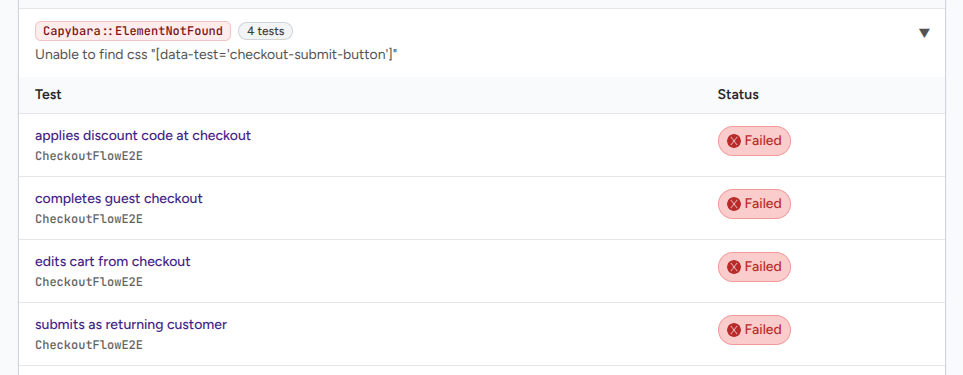
- A collapsible list of the cases, each with its class name and test name, linked to the test case page so you can jump straight into the captured output and stack trace.
Patterns are sorted by size, largest first. Patterns with the same size are ordered by failure type, so the section stays in a predictable order across runs.
What test failures get clustered
TestNod looks at every failed and errored test case in the current run and groups them by signature. Skipped and passing cases are ignored.
To build the signature, TestNod strips per-run noise from the failure message:
- Hex memory addresses
- UUIDs
- File paths with line numbers
- Bare line references
- Individual numbers
- Excess whitespace
The result is a key that catches two failures with the same underlying cause even when their original messages had different memory addresses or line numbers.
When failure patterns are most useful
- A broken shared helper. If a test helper or shared fixture is broken, ten unrelated tests can fail with the same root error. They cluster into one pattern.
- An environment problem. A bad Docker image or a missing environment variable produces the same setup error across many tests, all of which land in one pattern.
- A library upgrade. A breaking change in a dependency surfaces as the same exception in many places.
In all three cases, you read one cluster and make one fix instead of scrolling through dozens of look-alike rows.
When failure patterns will not help
- Independent failures. If ten tests fail for ten different reasons, they each get their own signature, and the section may not appear at all.
- Different wording. If two related failures normalize to different text because the original messages are genuinely different, they will not cluster. TestNod compares normalized messages, not their meaning.
- Cross-run patterns. Failure patterns only look at the current run. The test flakiness alert is the right tool when you want to detect a single test that fails intermittently across multiple runs.