
Weekly project summary email for CI test runs
TestNod sends a weekly project summary email for each of your projects, recapping the past seven days of test runs. It is meant to be read in a few seconds on a Monday morning, and it surfaces the slow changes that rarely trip an alert on their own, such as runs that keep getting a little slower or a pass rate that slips week over week.
When the weekly summary sends
Every email goes out on Monday at 9 AM in your organization's time zone, and each project gets its own email covering the previous week of runs.
The timing follows the organization's time zone rather than each person's, so everyone on the team receives the summary at the same moment no matter where they are. Set the organization's time zone to whatever works best for the team.
What's in the email
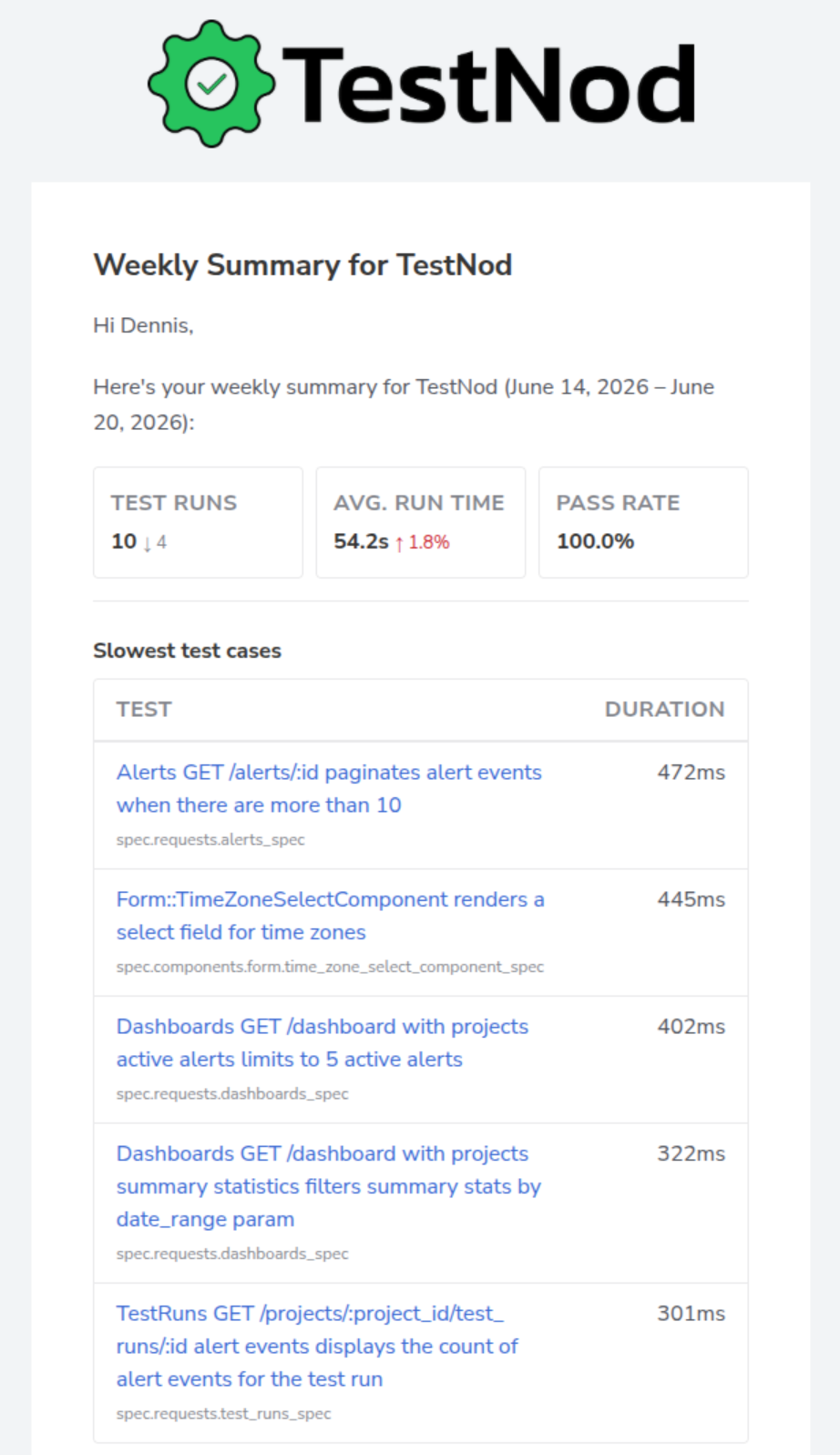
Each email is broken into a few sections:
| Section | What it shows |
|---|---|
| Header | The project name and the week the email covers. |
| Run counts | How many runs finished this week, compared with the previous week. |
| Average duration | This week's average run duration, compared with the previous week. |
| Pass rate | The percentage of tests that passed across the week's runs. |
| Slowest test cases | Up to five of the slowest test cases from the week, each with its class name, test name, duration, and a link to the test run it came from. |
| Recent alerts | Up to three of the most recent alerts from the week. |
When a project had no runs during the week, the email switches to a shorter version that says so and leaves out the empty sections.
Who receives the summary
Everyone in your organization is subscribed to every project's summary by default. The subscription is opt-out, and it works per user and per project, so you can keep getting one project's summary while turning another's off without changing anything for your teammates.
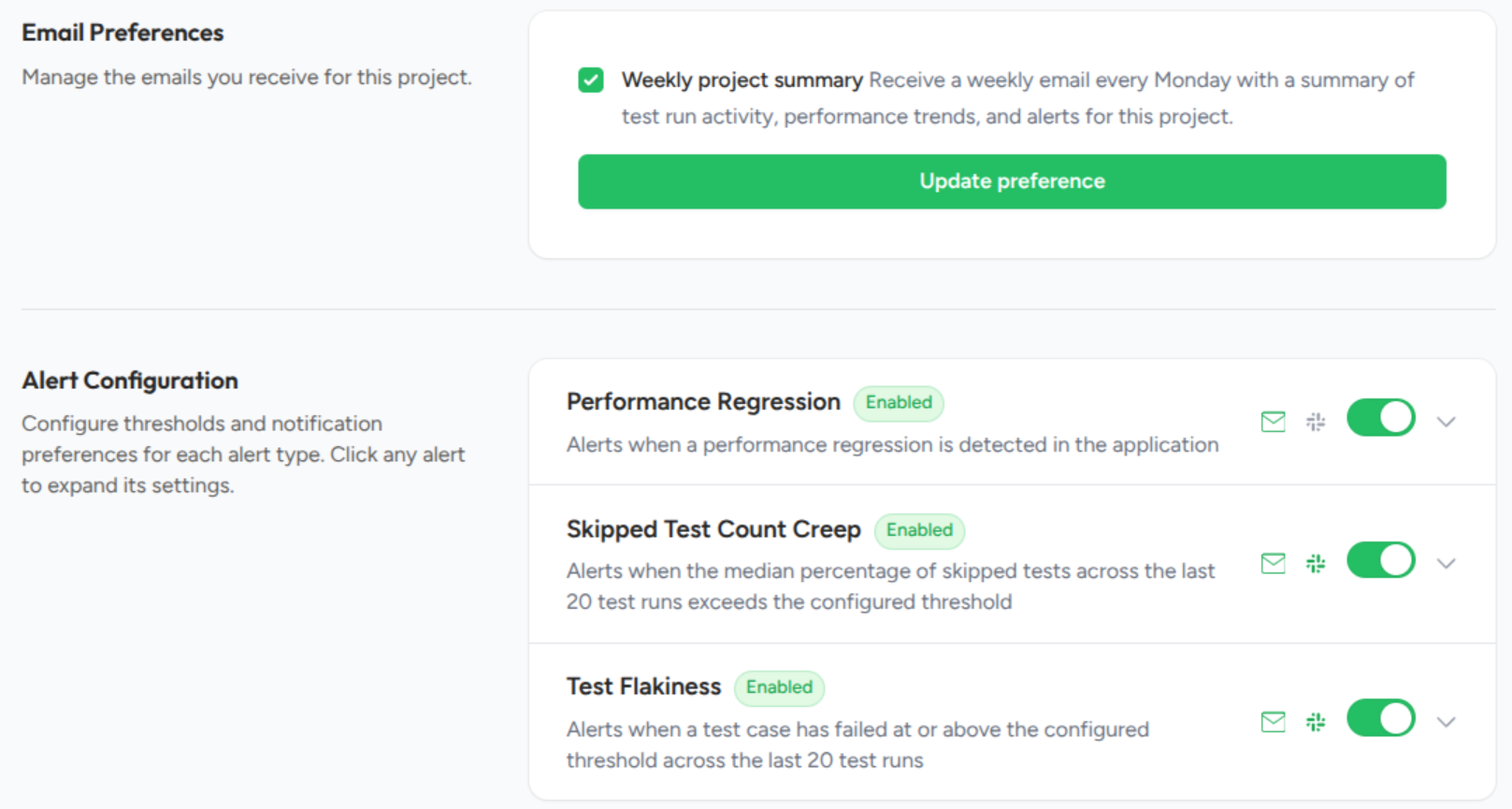
To opt out, open the project's Settings page and find the Email Preferences section. The Weekly project summary toggle controls whether you receive that project's email. Admins cannot opt other people out, and each person manages their own preferences.
If a summary doesn't arrive
Check your spam folder first, then confirm on the project's Settings page that you are still subscribed. Organizations that filter inbound mail may also need to allowlist TestNod's sending domain. The Email notifications page has the full troubleshooting checklist and covers the other emails TestNod sends.
What this email is not
- Not real-time. For signal on a single run, use alerts or open the run page after a build finishes.
- Not a usage or billing report. The run counts are there for visibility, not to track usage or charges.
- Not customizable yet. The sections, the send time, and the weekly cadence are fixed for now. If you want something different, like a daily summary or a different set of sections, email [email protected] and tell us what you would want.